Documentation:Modules/visual: Difference between revisions
Jump to navigation
Jump to search
→Screenshots: New section with File:Spectrum visualization.png and File:Spectrometer on Ubuntu.png. I hope including them here is okay, no license was specified |
m →Source code: Fix |
||
| Line 141: | Line 141: | ||
== Source code == | == Source code == | ||
* {{VLCSourceFile|modules/visualization/visual.c}} | * {{VLCSourceFile|modules/visualization/visual/visual.c}} | ||
{{Documentation footer}} | {{Documentation footer}} | ||
Latest revision as of 23:57, 19 May 2019
| Module: visual | |
|---|---|
| Type | Visualization |
| First VLC version | - |
| Last VLC version | - |
| Operating system(s) | all |
| Description | Visualizer filter |
| Shortcut(s) | - |
For the option --effect-fft-window the values for window_list originate from modules/visualization/window_presets.h.
The code claims --spect-color must be within 1 ≤ x ≤ 127 but no checks seem to be performed.
The options --visual-nbbands, --visual-separ, --visual-amp and --spect-nbbands have been obsolete since VLC 1.0.0.
This module has a single shortcut: visualizer (specifically with a z).
Options
- effects-list <string> {dummy,scope,spectrum,spectrometer,vuMeter} : A list of visual effect, separated by commas default value: spectrum
- effects-width <integer> : The width of the effects video window, in pixels default value: 800
- effects-height <integer> : The height of the effects video window, in pixels default value: 500
- effect-fft-window <string> {none,hann,flattop,blackmanharris,kaiser} : The type of FFT window to use for spectrum-based visualizations. Values correspond to "None", "Hann", "Flat Top", "Blackman-Harris", "Kaiser" default value: flat
- effect-kaiser-param <float> : The parameter alpha for the Kaiser window. Increasing alpha increases the main-lobe width and decreases the side-lobe amplitude default value: 3.0f
Spectrum analyser
- visual-80-bands <boolean> : Show 80 bands instead of 20 default value: enabled
- visual-peaks <boolean> : Draw peaks in the analyzer default value: enabled
Spectrometer
- spect-show-original <boolean> : Enable the "flat" spectrum analyzer in the spectrometer default value: disabled
- spect-show-base <boolean> : Draw the base of the bands default value: enabled
- spect-radius <integer> : Defines radius size in pixels, of base of bands (beginning) default value: 42
- spect-sections <integer [1 .. INT_MAX]> : Determines how many sections of spectrum will exist default value: 3
- spect-color <integer> : YUV-Color cube shifting across the V-plane ( 0 - 127 ) default value: 80
- spect-show-bands <boolean> : Draw bands in the spectrometer default value: enabled
- spect-80-bands <boolean> : Show 80 bands instead of 20 default value: enabled
- spect-separ <integer> : Number of blank pixels between bands default value: 1
- spect-amp <integer> : This is a coefficient that modifies the height of the bands default value: 8
- spect-show-peaks <boolean> : Draw peaks in the analyzer default value: enabled
- spect-peak-width <integer> : Additions or subtractions of pixels on the peak width default value: 61
- spect-peak-height <integer> : Total pixel height of the peak items default value: 1
Screenshots
Click thumbnails for larger images and author attribution.
-
 Spectrum
-
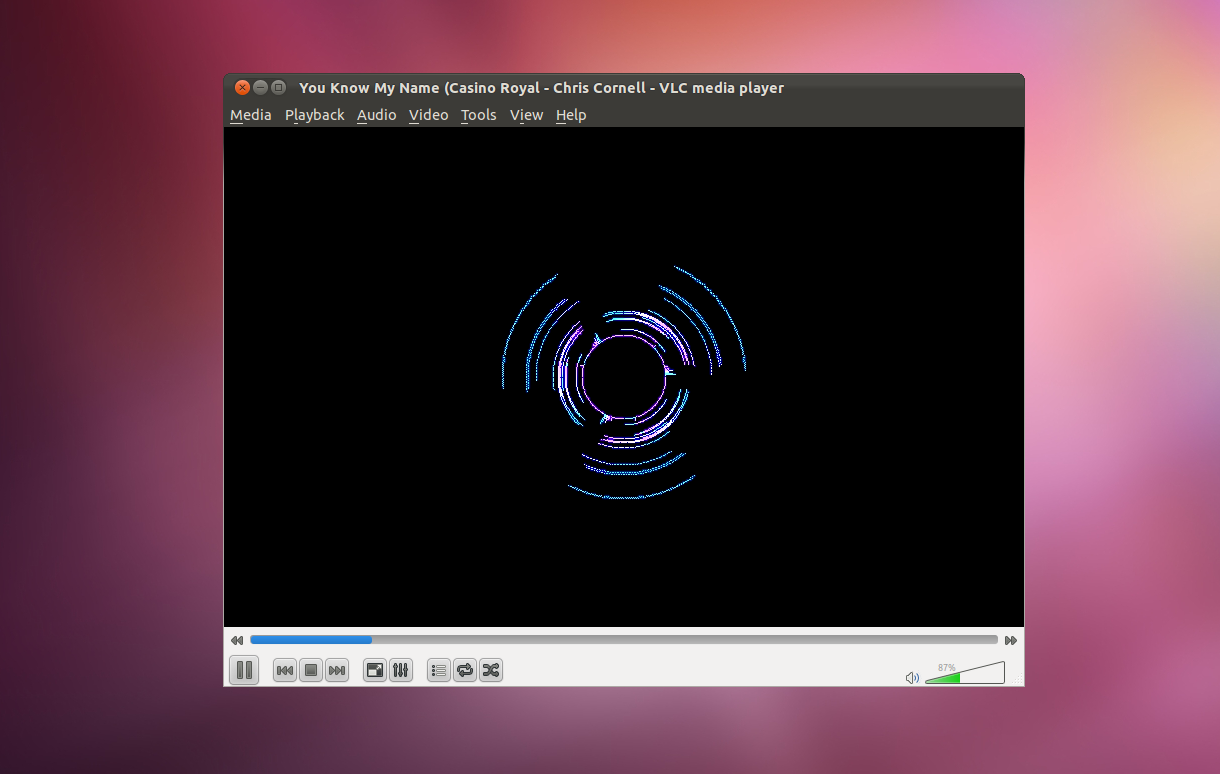 Spectrometer


Source code
This page is part of official VLC media player Documentation (User Guide • Streaming HowTo • Hacker Guide • Modules)
Please read the Documentation Editing Guidelines before you edit the documentation
Please read the Documentation Editing Guidelines before you edit the documentation
Permission is granted to copy, distribute and/or modify this document under the terms of the GNU General Public License as published by the Free Software Foundation; either version 2 of the License, or (at your option) any later version.