Preferences: Difference between revisions
Jump to navigation
Jump to search
Add images for Windows 8 and macOS |
|||
| Line 1: | Line 1: | ||
<gallery> | |||
File:Tools-menu-item.png|Location of preferences option|alt=For the preferences dialogue, navigate to the menu toolbar, select tools, select preferences. | |||
File:Preferences-Windows 8.png|Preferences dialogue under Windows 8|alt= | |||
File:Vlcmenu preferences osx.png|Preferences dialogue under macOS|alt= | |||
</gallery> | |||
You can edit settings for VLC by clicking in the Settings menu and selecting Preferences (or by pressing Ctrl+S). | You can edit settings for VLC by clicking in the Settings menu and selecting Preferences (or by pressing Ctrl+S). | ||
* To save your preferences, click Save. | * To save your preferences, click Save. | ||
* To show more options, check the Advanced box. | * To show more options, check the Advanced box. | ||
=== Configuration File === | === Configuration File === | ||
Revision as of 07:21, 9 February 2019
-
 Location of preferences option
-
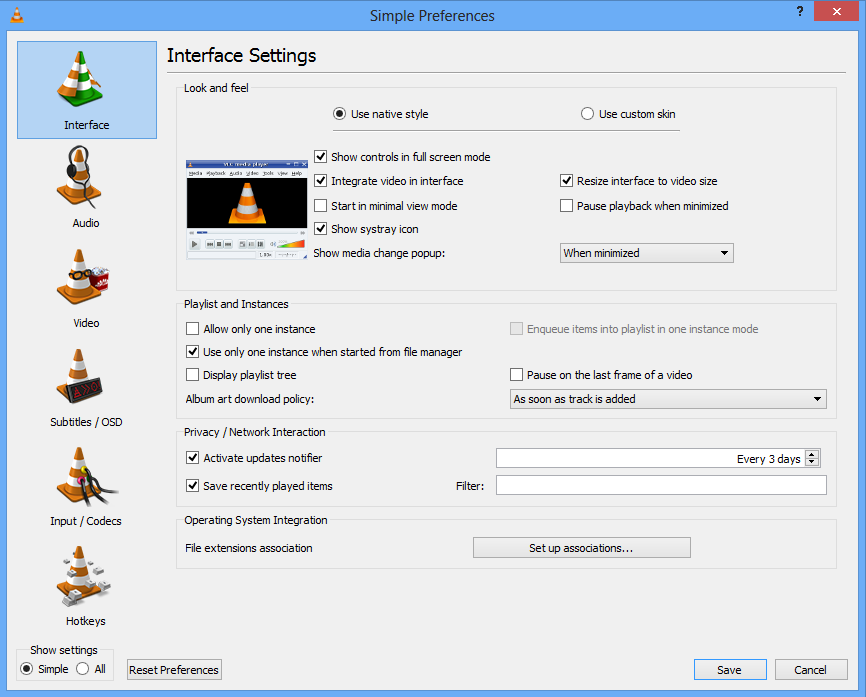 Preferences dialogue under Windows 8
-
 Preferences dialogue under macOS


You can edit settings for VLC by clicking in the Settings menu and selecting Preferences (or by pressing Ctrl+S).
- To save your preferences, click Save.
- To show more options, check the Advanced box.
Configuration File
The preferences stated in the options are stored in a configuration file. There is one configuration file per user, stored at:
- Unix, Linux and BSD:
~/.config/vlc/vlcrcsince 0.9. Before it was:~/.vlc/vlcrc - Mac OS X:
~/Library/Preferences/org.videolan.vlc/vlcrc - Windows:
%appdata%\vlc\vlcrcis generic and is expanded to:- Windows 95/98/ME:
C:\Windows\Application Data\vlc\vlcrc - Windows NT/2000/XP:
C:\Documents and Settings\<username>\Application Data\vlc\vlcrc - Windows Vista/2003 Server:
C:\Users\<username>\AppData\Roaming\vlc\vlcrc - Windows 7:
C:\Users\<username>\AppData\Roaming\vlc\vlcrc
- Windows 95/98/ME:
- BeOS:
config/settings/vlcrc - When used from the command line, sometimes there are unintended conflicts with settings in the config file; to ignore the config file, use:
--ignore-config
Your Preferences
To view/change your Wiki preferences go here.